 Andrew Adams · Co-Founder & Operations at Wireflow ·
 AI Storyboard Generator
Most storyboard tools stop at static frames.
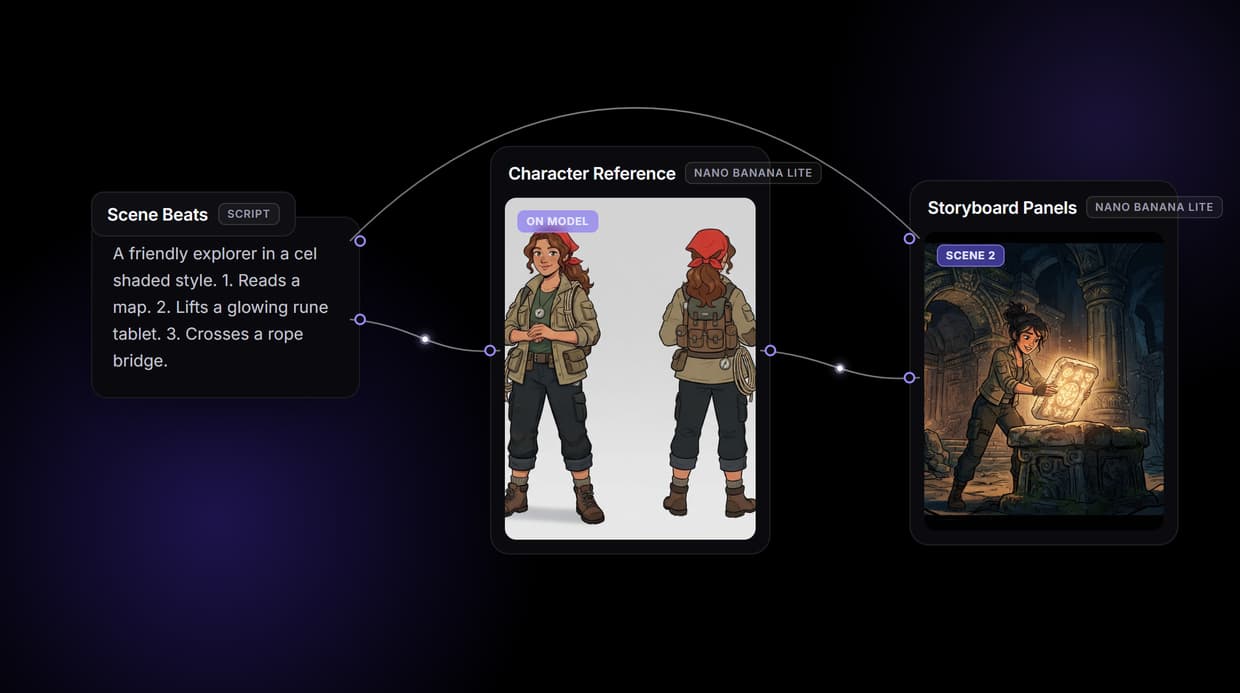
Wireflow makes the storyboard a workflow on a node canvas: your script poses a character reference with Nano Banana Lite, that reference feeds every panel so the same character carries scene to scene, and the finished panels can roll straight into motion. Free to build, pay per generation.
Free to build · no credit card · See how it works ↓
How to Use AI Storyboard Generator
Steps to get you started in Wireflow.
Write the character brief and the scene beats
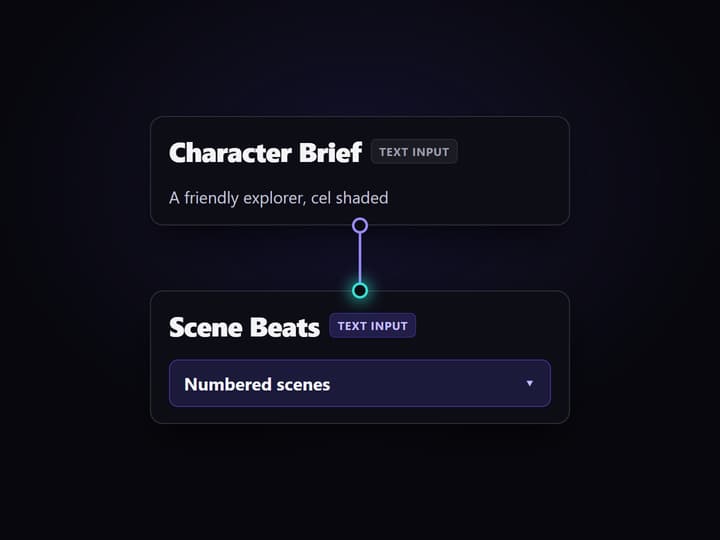
Open the flow and fill the two Text Input nodes: one describes the recurring character and art style, the other lists the numbered scenes, for example a friendly explorer in a cel shaded style, then three beats she moves through.
Run the graph once
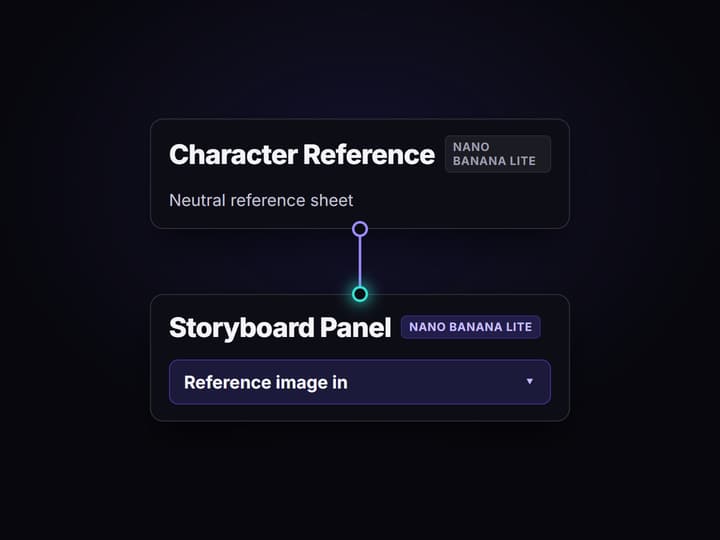
Nano Banana Lite renders a neutral character reference sheet, then a second Nano Banana Lite node reads that reference plus each scene beat and returns storyboard panels with the same character in seconds.
Rerun, restyle, or push a panel into motion
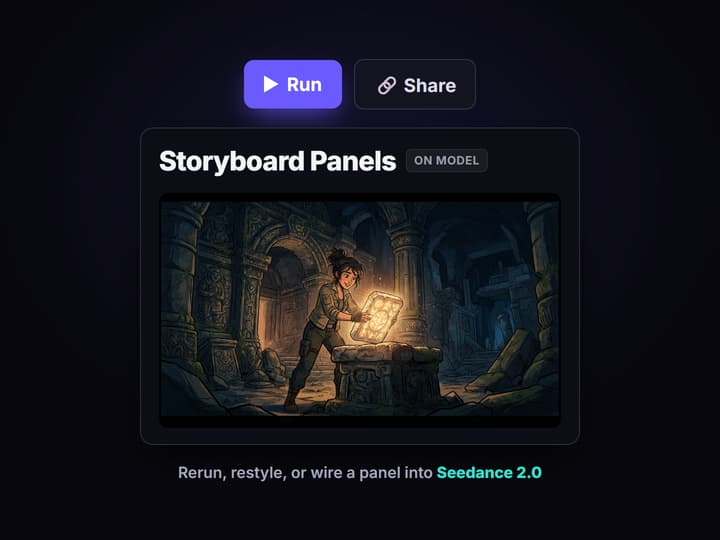
Edit the beats and run again for a new board, swap the image node for another of the 70+ hosted models to change the style, or wire a panel into a video node like Seedance 2.0 to animate the shot.
Why teams want an AI storyboard generator that does more than draw frames
A storyboard is pre-production: it is how a team agrees on shots, blocking, and pacing before anyone spends on a shoot or a render. Most AI storyboard tools speed up that drawing step and stop there. You get panels, you export a PDF, and the actual video lives in a different tool with a different look, so the storyboard and the finished shots drift apart.
Wireflow treats the storyboard as a workflow you own on a node canvas. A Text Input holds the scene beats, Nano Banana Lite renders a character reference, and a second Nano Banana Lite node reads that reference so every panel keeps the same character. Because it all sits on hosted compute in the browser with nothing to install, the same canvas that boards a scene also drives every other AI image generator job your team runs, and a finished panel can move on to motion without leaving the page.
What the storyboard flow is made of
Scene beats intake
A Text Input node holds the numbered scenes. Change the beats and rerun; the graph never moves.
Character reference
Nano Banana Lite renders a neutral reference sheet that locks the character before any panel.
Consistent panels
A second Nano Banana Lite node reads the reference so each panel keeps the same face and wardrobe.
Style as a node
Swap in Flux, Recraft, Ideogram, or Nano Banana Pro to move between sketch, vector, and photoreal.
Panel to motion
Wire a panel into Seedance 2.0, Veo 3.1, or Kling to turn a chosen frame into a short shot.
Rerun and share
Workflows are versioned and shareable by link; a board reruns identically for the whole team.
How the storyboard graph actually runs
The workflow behind this page's button is deliberately small: two Text Inputs and two image nodes.
- Character Brief holds the cast. One line describes the recurring character and the art style, for example a friendly explorer in a clean cel shaded look.
- Nano Banana Lite renders the reference. The brief becomes a neutral background character reference sheet, the anchor every panel points back to.
- Scene Beats plus the reference make the panels. A second Nano Banana Lite node reads both the numbered beats and the reference image, so the panels stay on model instead of drifting between shots.
That reference wire is the detail worth copying: it is the asset-first habit behind consistent characters, and it is the same asset-first move behind any consistent cast, the kind you plan when you design characters with AI for games and animation. When a panel is right, it does not sit in a PDF; it wires forward into a video node so the board becomes footage in the same graph.
When a drawing-first storyboard tool is the better call
If your storyboard work is a shot-list spreadsheet, hand-drawn thumbnails, and frame-by-frame annotation for a director to mark up, a dedicated drawing-first board app is built around exactly that, and this page will not pretend otherwise. Wireflow gives you generated panels on a canvas, not a sketching surface or a pitch-document exporter.
Wireflow is the generation layer, not the writers' room: it will not write your script, storyboard your act structure, or decide your shot order for you. What it offers instead is ownership of the pipeline, 70+ hosted models to swap between, a character reference that keeps panels consistent, and per generation pricing. If your storyboard is a step toward finished shots rather than the deliverable itself, build it here, and pair it with a character design generator when a scene needs a fresh face.
More Than Just AI Storyboard Generator
The storyboard is not the finish line
Most tools hand you static frames and stop. Here the panels sit on a canvas, so a frame wires straight into a video node and becomes a real shot inside one AI video workflow.
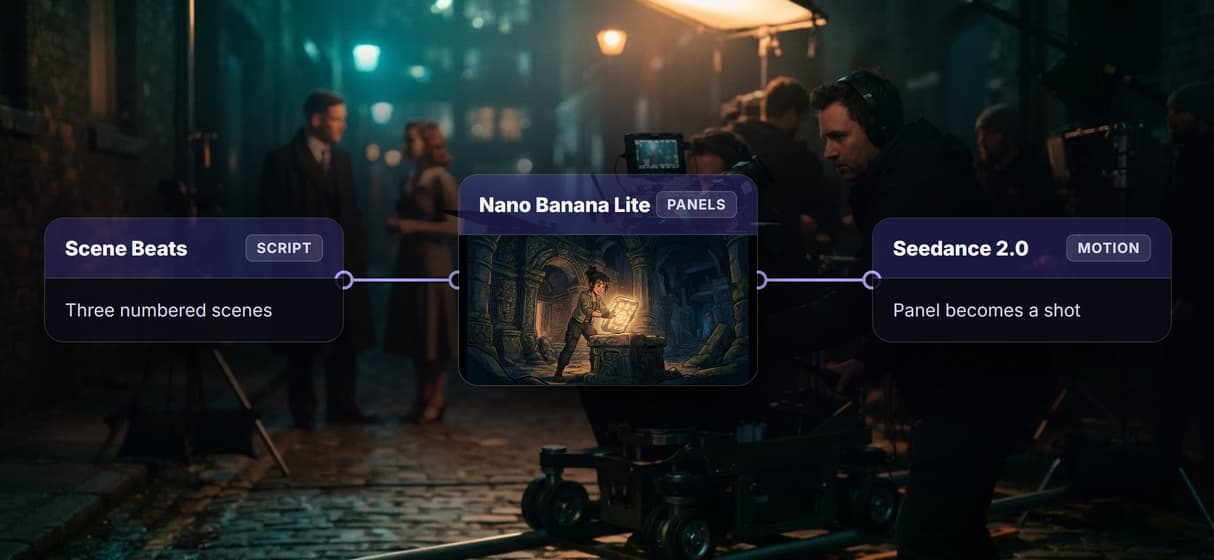
The same character in every panel
Nano Banana Lite renders a character reference sheet once, then wires it into every panel, so the same face and wardrobe carry across scenes instead of re-rolling each prompt.
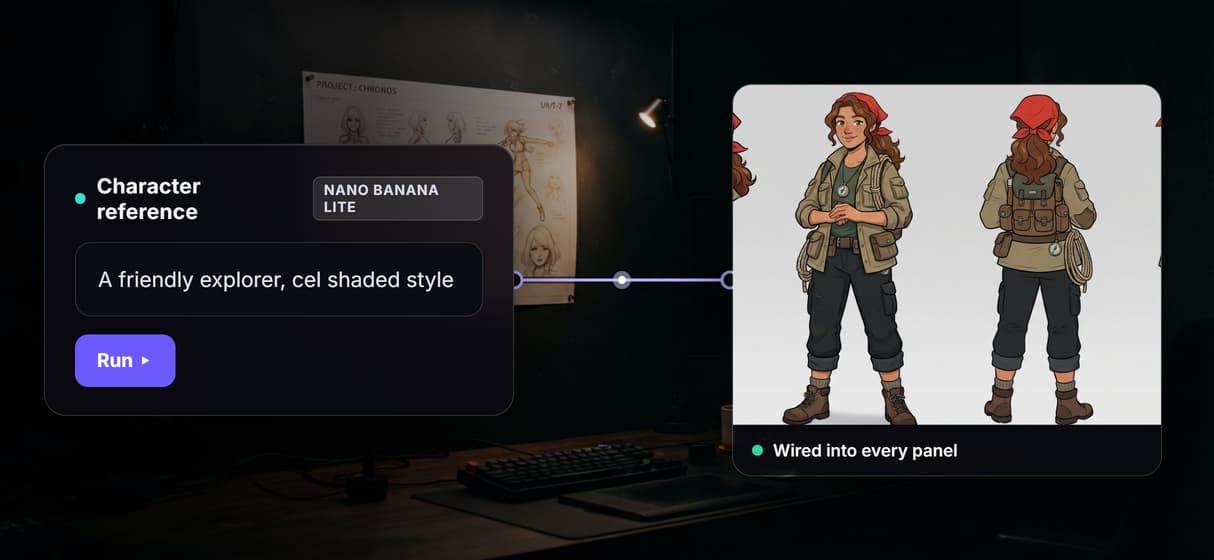
Swap the art style with one node
Sketch, cel shaded, or photoreal is a model choice, not a rebuild. Drop in another of the 70+ hosted image models the way you would in any node based image generation graph.
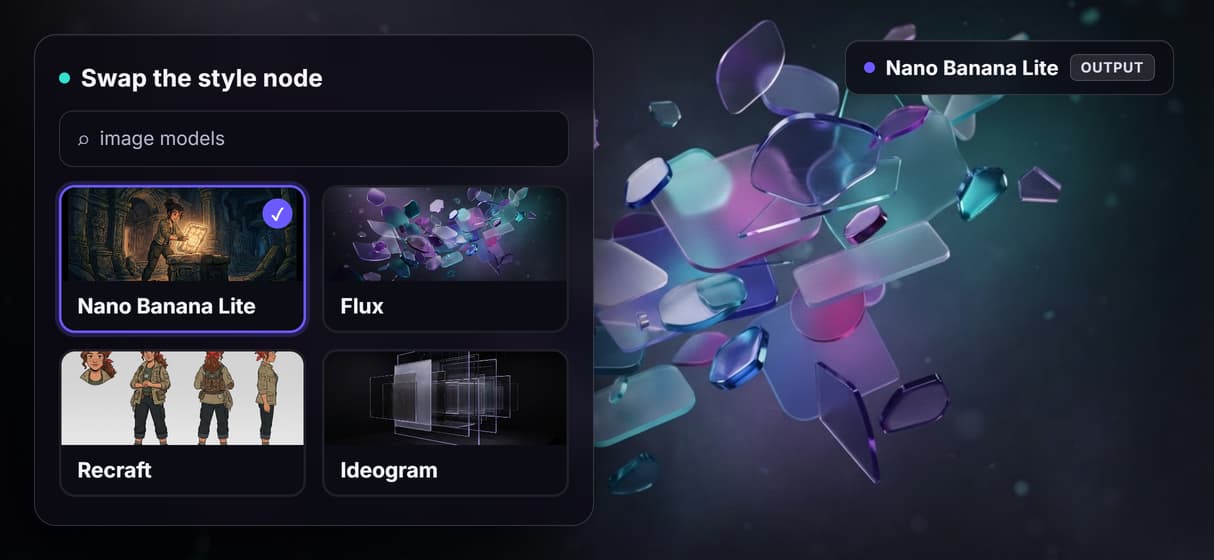
Every board reruns identical
Workflows are versioned server side and shareable by link, so board fifty comes out like board one and the whole team runs the exact same graph.
Per generation pricing, not per seat
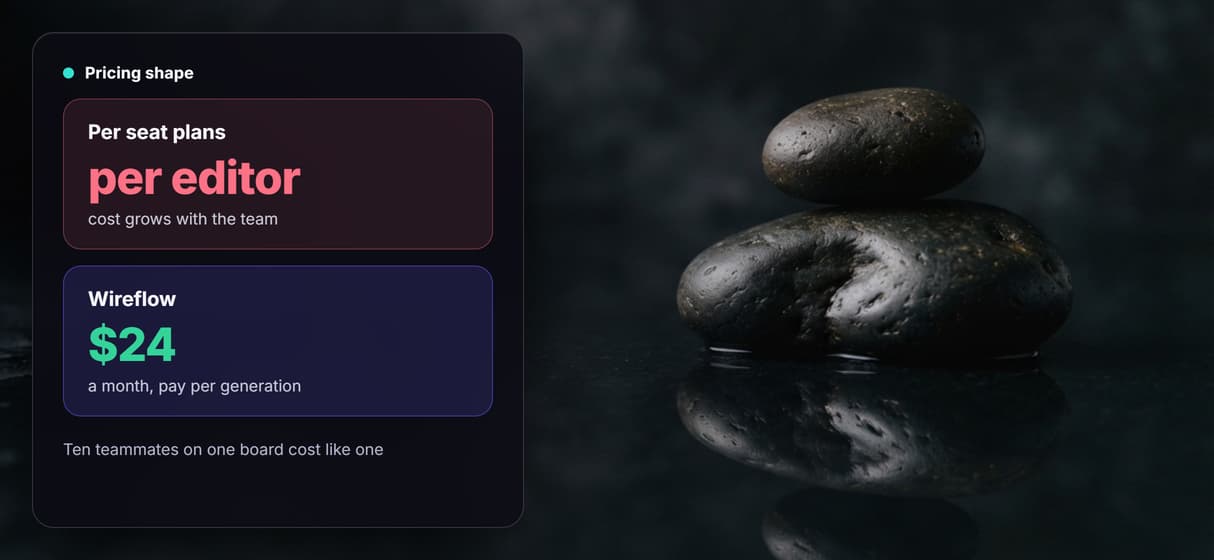
Building on the canvas is free and generations are metered, so ten teammates on one board cost no more than one, on flat plans from $24 a month.
Build Any AI Workflow
AI Models Integrated
Full Commercial License
FAQs
It depends on what you need the board to become. If you want a drawing-first sketchpad and a pitch PDF, a dedicated board app fits. If you want to own the pipeline and carry the board into finished shots, Wireflow makes the storyboard a node workflow: script to character reference to consistent panels, with a video node one wire away.
Discover related AI tools
- AI Video Generator: 12 Video Models, One Canvas (2026) | Wireflow
- TapNow AI Alternative
- Opencreator AI Alternative
- AI Video Workflow
- AI UGC Workflow
- Faceless AI Video Generator
- Text to Video
- Text to Video AI
- Happy Horse 1.0
- Free AI Video Generator Online
- Best AI Video Generators 2026
- Video Maker: One Prompt to a Finished Clip on a Canvas
More From Wireflow
Written by
Andrew Adams · Co-Founder & Operations at Wireflow
Runs client operations and content strategy at Wireflow. Works directly with creative teams and agencies to build production AI workflows.
Board your next scene on a canvas you own
Open the flow, write the character brief and the scene beats, and run it: a reference sheet, then consistent panels from one graph. Building is free; you pay per generation, and a video node is one wire away.