 Andrew Adams · Co-Founder & Operations at Wireflow ·
 AI Character Creator
Wireflow turns an AI character creator into a node canvas you own.
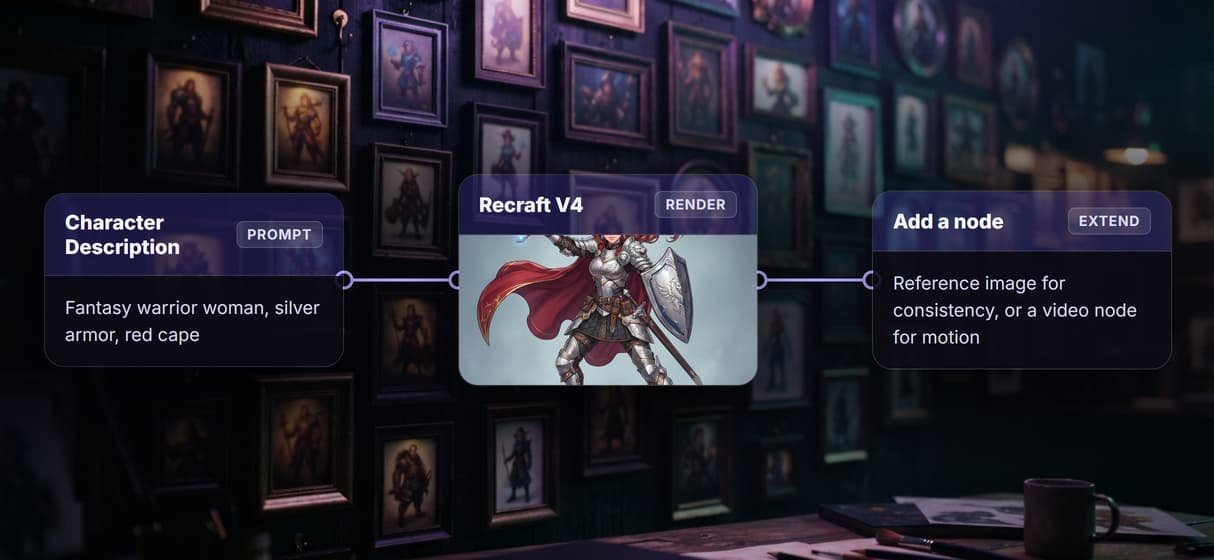
A Character Description node holds your prompt and wires it to a Recraft V4 node that renders the character, so you can rerun it, swap the model, or extend the graph. Free to build, pay per generation.
Free to build · no credit card
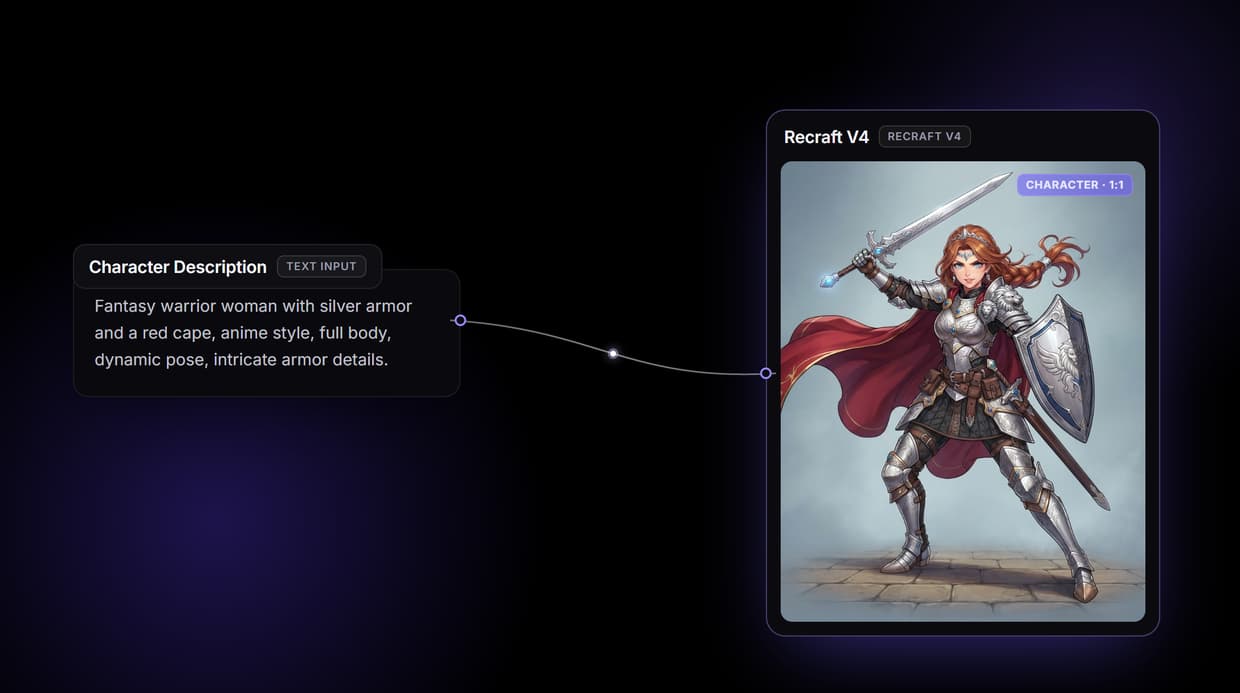
What an AI character creator does on Wireflow
Most character tools hand you one button: type a description, get an image, hope the style lands. Wireflow makes the character creator a small workflow you can see and own. A Character Description node holds your words and wires them to a Recraft V4 node, so one prompt returns a rendered character you can rerun, restyle, or build on.
It runs on hosted compute in the browser with nothing to install, and the same canvas drives every other AI image generator job your team has. Building the graph is free; you only spend credits when the node generates.
What is wired into the character flow
Character Description input
A text node holds your character prompt and wires the same words into the generate node.
Recraft V4 render node
One generate node reads the description and renders a single square character image.
Swappable model
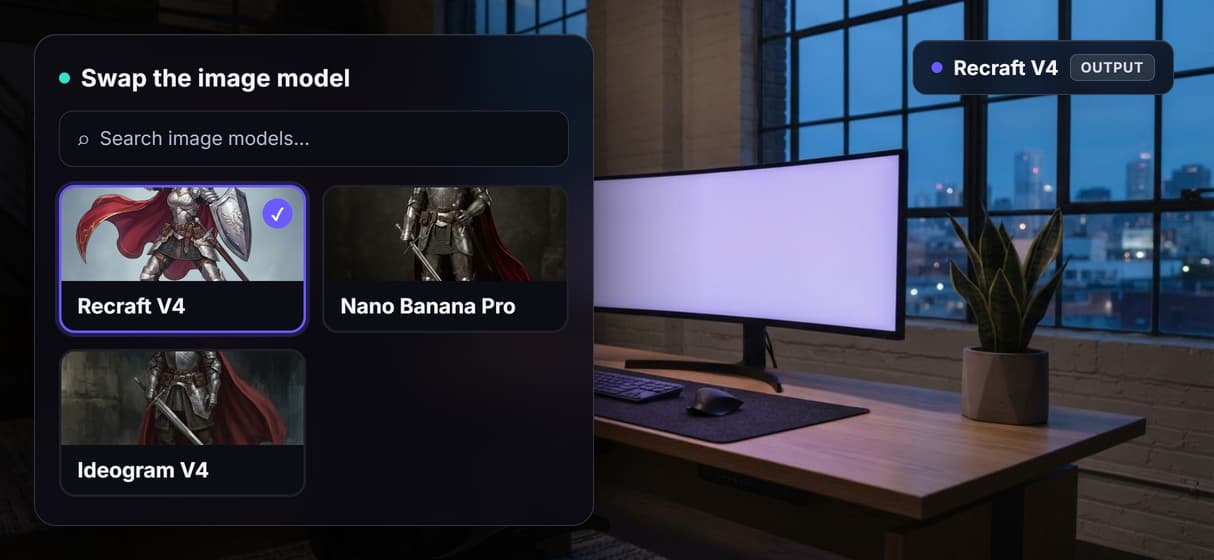
Drop Nano Banana Pro, Ideogram V4, or GPT Image 2 into the same node for a different style.
Prompt-driven style
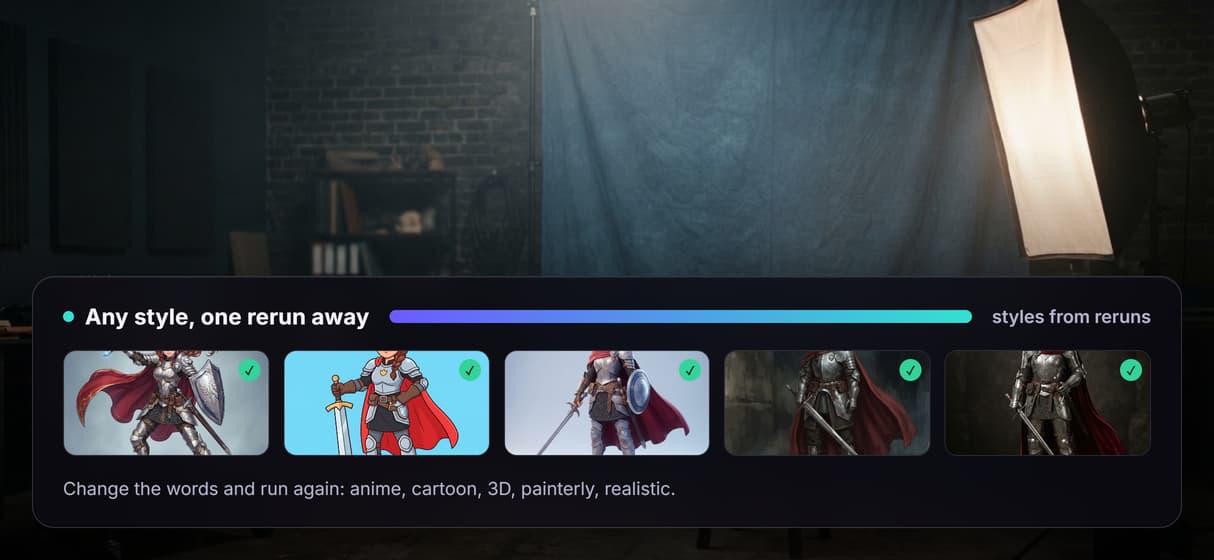
Anime, cartoon, painterly, or realistic all come from the words you type, no preset menus.
Extendable canvas
Add a reference-image node for consistency or a video node for motion when a job needs it.
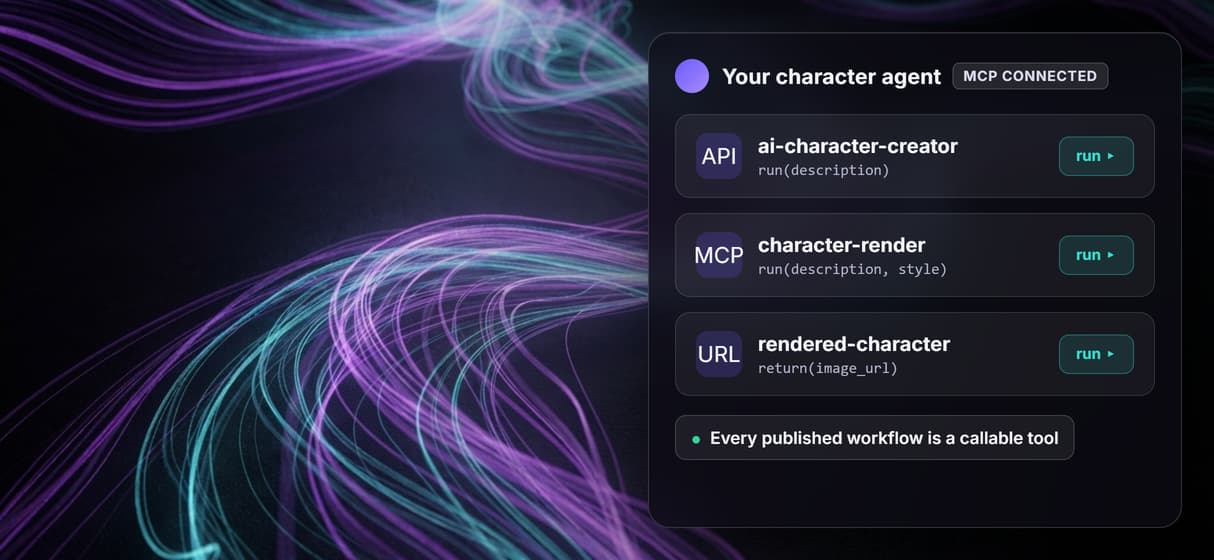
Endpoint and MCP tool
The published flow is a REST endpoint and an MCP tool an agent can call for the render.
How the character graph actually runs
The workflow behind this page's button is deliberately small: one input and one model node.
- Character Description holds the words. One line about the character is enough, covering the look, the style, and the pose in plain language.
- The prompt wires into Recraft V4. The same description feeds the generate node, set to a square frame, so the render stays about the character you asked for.
- The node renders one character. You get a rendered image ready to download, and rerunning with new words gives a fresh take.
Because the graph lives among the hosted image models, you can drop a stronger model in place of Recraft V4, or branch the same description into an AI art generator pass, without leaving the browser.
When a character creator needs more than one node
This flow is a generative render, not an identity lock. It draws the character from your words each run, so two separate runs are close cousins, not the exact same face. Keeping one character consistent across poses means adding a reference-image node and an edit model to the graph; the live two-node flow does not guarantee that on its own.
It is also the generation layer, not the art director, so it will not invent the concept or decide the composition for you. When a job needs a matching set, retouching, or motion, pair the render with an AI image editor node and keep the character step as one honest ingredient in the graph.
More Than Just AI Character Creator
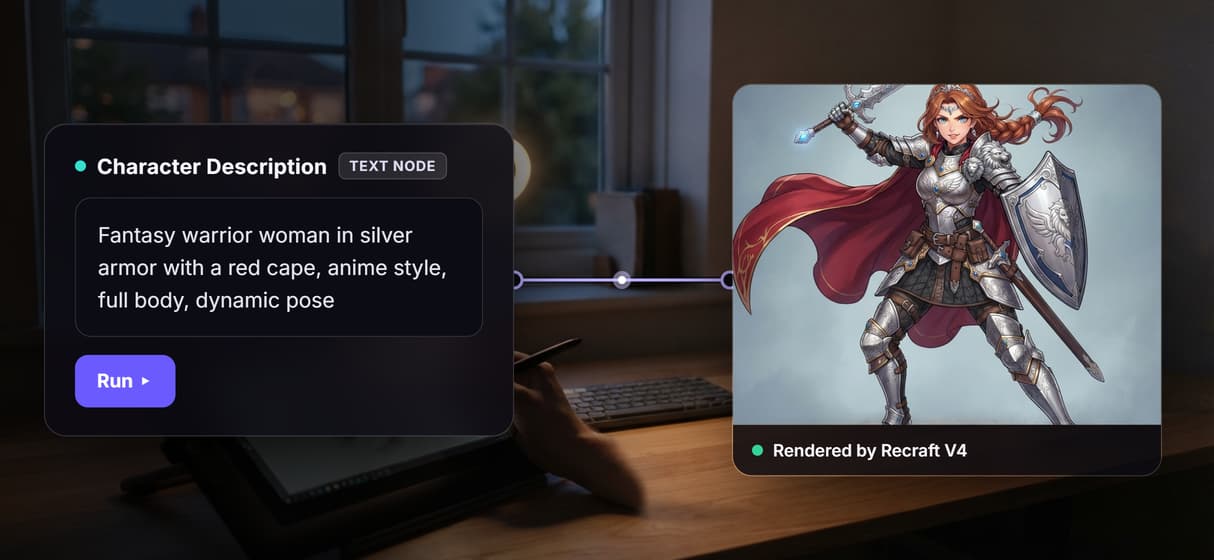
Describe a character, get a render
The Character Description node feeds a Recraft V4 node that draws that exact character, wiring done for you, like a rewirable AI illustration generator.
Swap the model without rebuilding
Drop Nano Banana Pro, Ideogram V4, or GPT Image 2 into the generate node for a new look, the same node-first idea behind our AI avatar generator.
Any style your prompt describes
Anime, cartoon, painterly, or realistic all come from the words you type, the same range you get from an AI face generator.
Rerun it, version it, call it from code
The flow is versioned and shareable by link, so fifty characters run like one. It is also a REST endpoint and an MCP tool that a cartoon character maker agent can call.
Extend the graph when you need more
Add a reference-image node for consistency or a video node for motion, past a single anime avatar creator into a full pipeline.
Character creator Workflows
No Code Required
API & Batch Processing
FAQs
It depends on whether you want a black box or a workflow you own. Wireflow builds the character creator on a node canvas, so a description renders a character through a Recraft V4 node you can inspect and swap.
More From Wireflow
Written by
Andrew Adams · Co-Founder & Operations at Wireflow
Runs client operations and content strategy at Wireflow. Works directly with creative teams and agencies to build production AI workflows.
Describe a character, own the flow
Open the flow, type one description, and run it: a rendered character comes back from a graph you can rerun, restyle, or extend. Building is free, and you pay per generation, not a subscription.