 Andrew Adams · Co-Founder & Operations at Wireflow ·
 AI Cartoon Avatar Maker
Most cartoon avatar makers give you one button and a black box.
Wireflow gives you the graph: describe the character in plain words, Nano Banana Lite paints the cartoon avatar, and Gemini Omni Flash animates it into a short clip. Free to build, pay per generation.
Free to build · no credit card
Why a cartoon avatar maker on a canvas
Most cartoon avatar makers are a one way door: upload a selfie, press a style button, and accept whatever the black box hands back. When the face lands wrong or the style is close but not right, there is nowhere to turn, no way to see how the avatar was built, and no way to reuse the recipe on the next character. The button is the ceiling, and the free tier usually stamps a watermark on the way out.
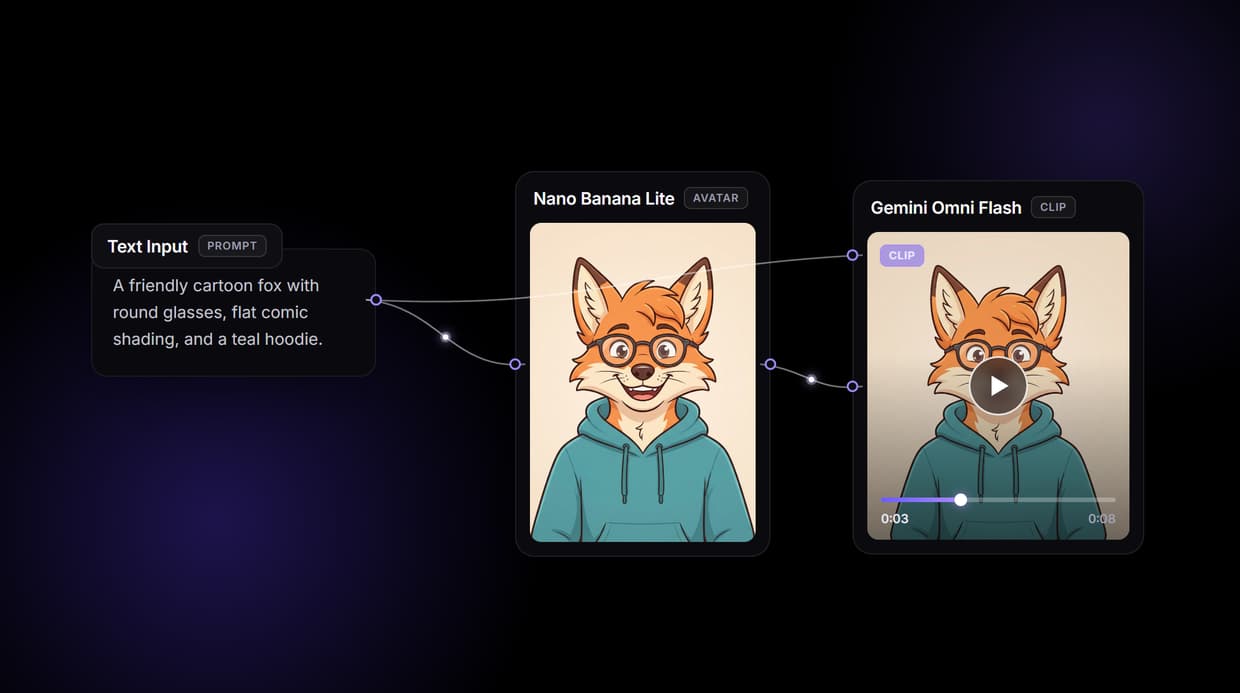
Wireflow takes a different shape. Making a cartoon avatar is a small workflow you own on a node canvas: a Text Input node holds your description, a Nano Banana Lite node renders the avatar, and a Gemini Omni Flash node animates it into a short clip. It runs on hosted compute in the browser with nothing to install, and the same canvas drives the rest of your image work, from an AI photo generator pass to a polished profile crop.
What the avatar flow gives you
Plain-words brief
A Text Input node holds the character in one line: species, outfit, expression, and the cartoon style you want.
Rendered avatar
The Nano Banana Lite node reads your text and paints the cartoon avatar as an image you can rerun and refine.
Optional reference
Wire a photo into the image node's spare image port to steer the face toward a real person or an existing character.
Short animated clip
The Gemini Omni Flash node turns the still avatar into a short moving clip, so the character can wave or talk.
Swappable models
Drop Nano Banana, Flux Pro, or GPT Image 1.5 into the render node, or swap the video node when you want different motion.
Share by link
The workflow is versioned and shareable, so a teammate opens the exact same avatar graph and runs it themselves.
How the avatar graph runs
The workflow behind this page's button is deliberately small: a text node, an image node, a video node, and a sticky note that walks a first run through it. It has already been run once, so the render and animate nodes carry real outputs.
- Text Input holds your description. One line of plain words, for example a friendly cartoon fox with round glasses and a teal hoodie, wires into the render node's prompt input.
- Nano Banana Lite renders the avatar. The image node reads your description and paints the cartoon avatar in a single pass. Edit the words and run again for a fresh take.
- Gemini Omni Flash animates it. The rendered avatar flows straight into the video node, which turns the still into a short animated clip.
- The image node has a spare photo port. Wire a reference photo into it, or swap the first node for an upload, when you want the avatar to follow a real face instead of a text description.
Because the description and the render meet at one node, the avatar follows what you ask for while the rest of the graph stays visible and editable. And because the flow lives among the platform's hosted models, the finished avatar can roll straight into more work, like an AI headshot generator pass, without leaving the browser.
When a one tap avatar app is the better call
If you want a single button, a phone app, and a row of preset styles to tap through with no canvas to touch, a consumer cartoon avatar app is built for exactly that, and this page will not pretend otherwise. Wireflow gives you the graph instead, which is more control than a casual one off profile picture needs.
A few honest limits. The demo flow starts from a text description, not an uploaded selfie: to cartoon your own face you wire a reference photo into the image node or swap the first node for an upload, and even then the result is a guided restyle, not a guaranteed identical likeness. Styles come from the words you write, not a fixed menu of anime, Disney, or Pixar buttons. The render node returns an image at the node's aspect ratio, so add an upscaler node if you need it larger rather than expecting a 4K transparent export. The video node produces a short clip and costs more than a still. It is not a face swap or deepfake service and must not depict real people without consent. Every generation costs credits, while building the graph is free. If a cartoon avatar is one ingredient in a larger content flow, build it here, and pair it with an AI photo to cartoon pass when you want to start from a photo.
More Than Just AI Cartoon Avatar Maker
Own the whole avatar graph
The whole pipeline sits open on a canvas: description in, avatar out, short clip out. Rewire any hop inside an AI avatar generator flow.
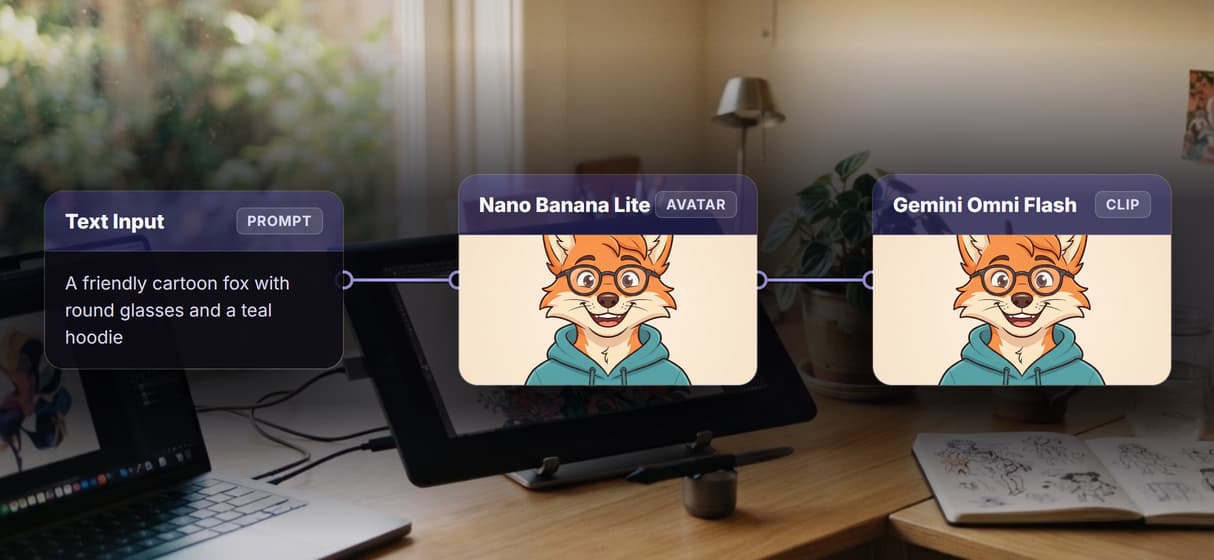
Describe it, skip the presets
Say the style in words, a flat comic fox or a soft Pixar-ish kid, and rerun. No preset menu to fight, unlike a one tap AI art generator.
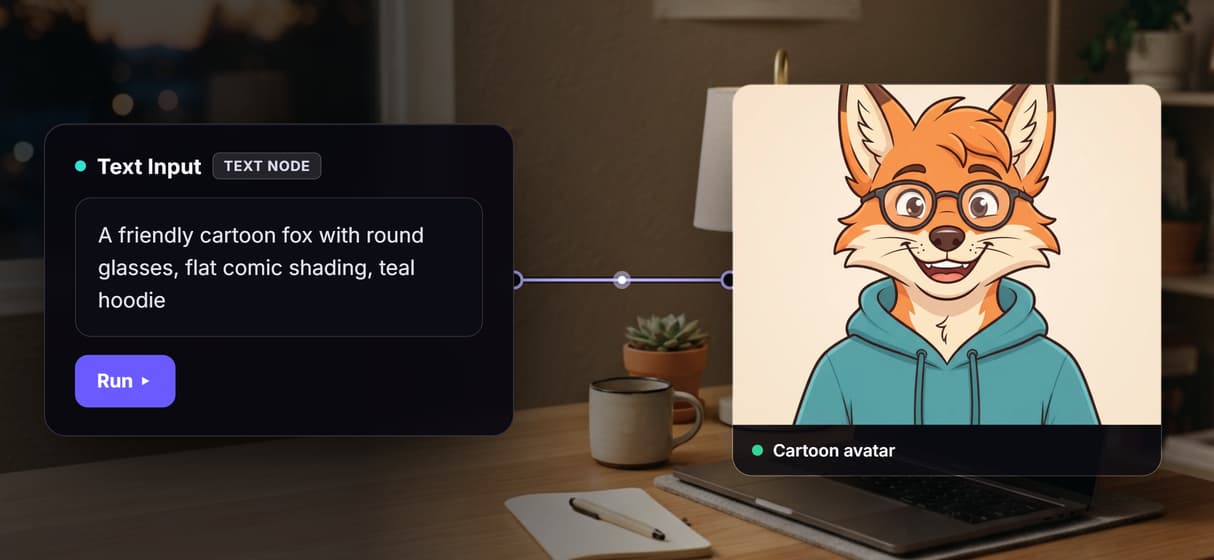
Bring the avatar to life
The Gemini Omni Flash node animates your still avatar into a short clip, so the character moves. Reuse the same face in an AI face generator pass.
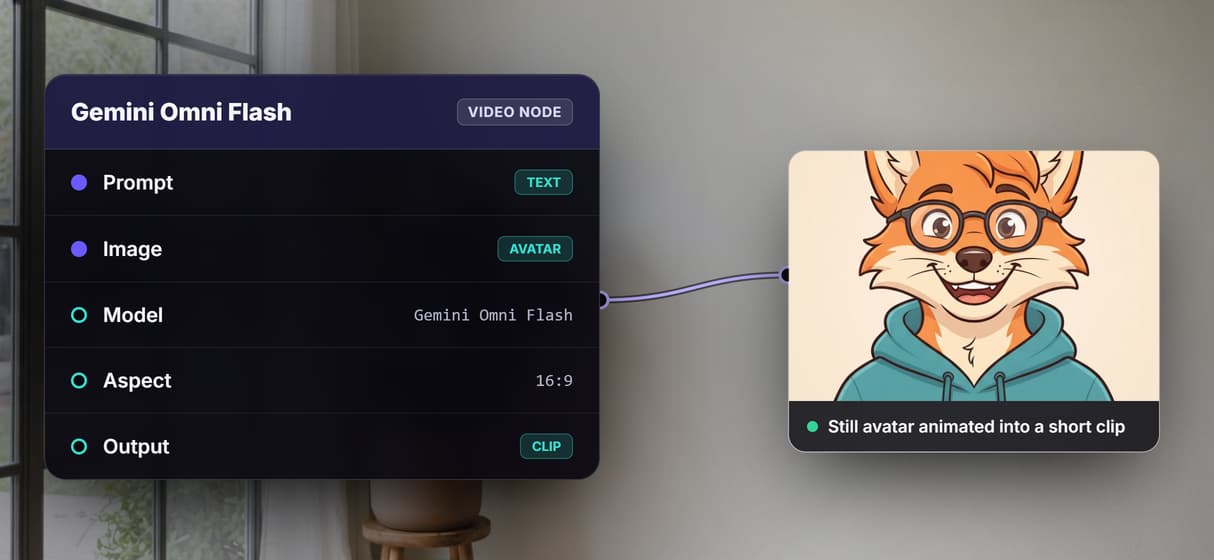
Swap the model, keep the graph
Nano Banana Lite renders by default; drop in Nano Banana, Flux Pro, or GPT Image 1.5 on the same node. Chain an AI headshot generator after.
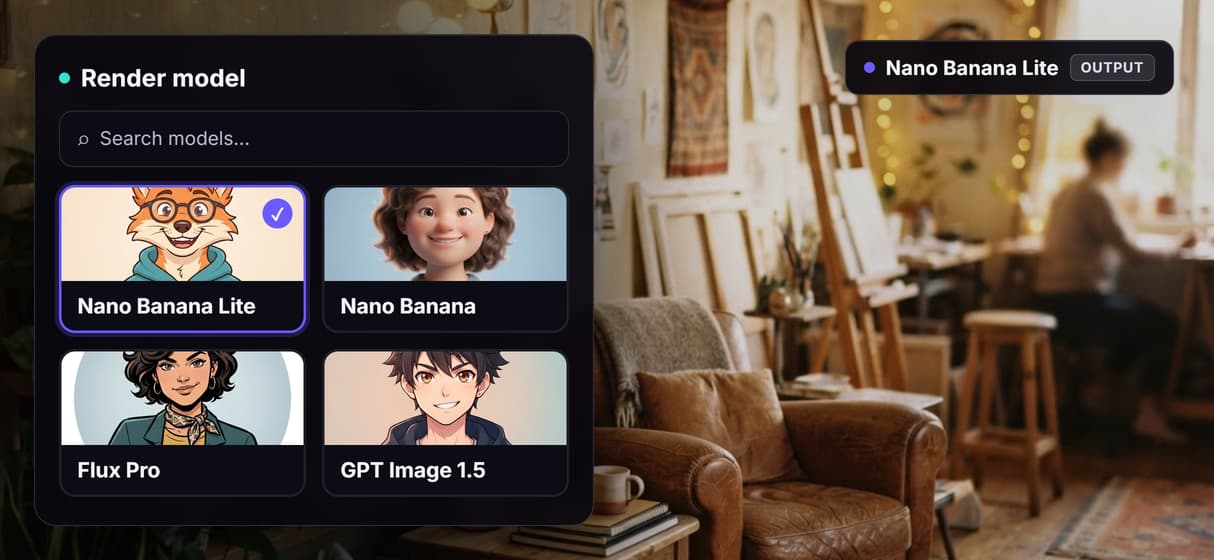
Free to build, pay per generation
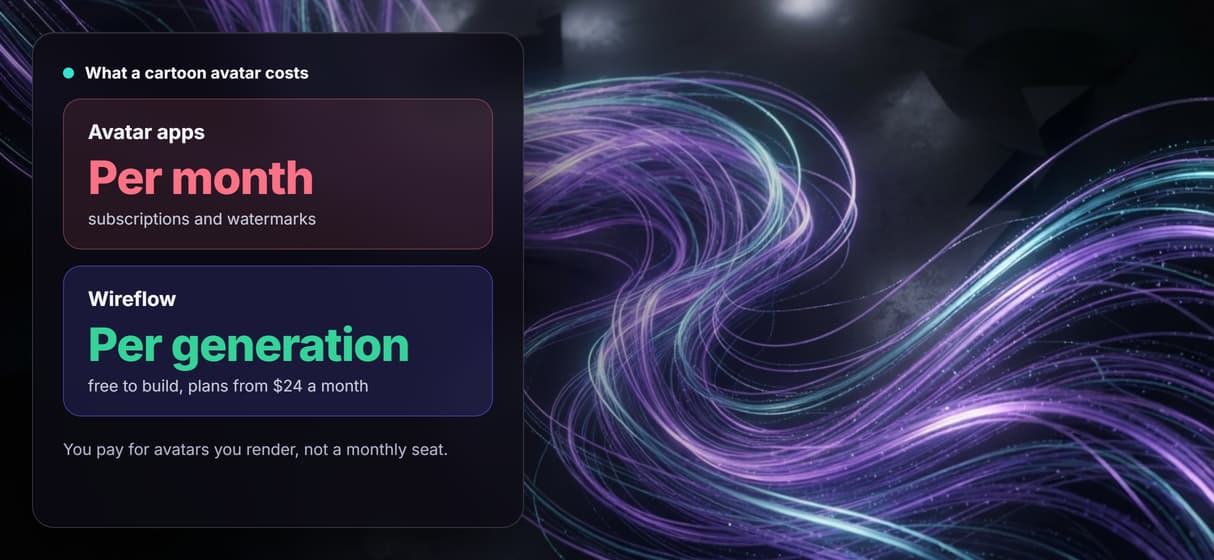
Building and rewiring the graph costs nothing; credits are spent only when a node renders. Crop results with an AI profile picture maker.
AI Models Available
Automate Any Workflow
Included in Every Plan
FAQs
It turns a description into a stylized cartoon character for a profile picture or mascot. On Wireflow a Text Input node feeds a Nano Banana Lite node that renders the avatar, and a Gemini Omni Flash node can animate it into a short clip.
More From Wireflow
Written by
Andrew Adams · Co-Founder & Operations at Wireflow
Runs client operations and content strategy at Wireflow. Works directly with creative teams and agencies to build production AI workflows.
Make a cartoon avatar you own the recipe for
Open the flow, describe the character in plain words, and run it: a cartoon avatar from a graph you can rerun, reshape, and animate. Building is free; you pay per generation, not per month.